
App Store + Google Play

App screenshots that win the tap, and how to A/B test them

What each store shows from your screenshots and preview videos, how many you can upload, and how to A/B test them with Apple's Product Page Optimization and Google Play's store listing experiments.

By Abdullah Yılmaz · Updated · 2 min read · Markdown

The short answer

  1. On the App Store, search results show your first one to three screenshots (or a preview); your page holds up to 10.
  2. On Google Play, upload 2 to 8 per device type, and at least four at 1080 px or more to be eligible for screenshot-based recommendations.
  3. Previews autoplay muted on both stores, so the first seconds must work without sound.
  4. Test before you guess: Apple lets you try up to three treatments, Google Play up to two variants.
A/B tests on each store: Apple Product Page Optimization vs Google Play store listing experiments

Your words get you into the results; your images get the tap. Apple says search results can show your rating and up to three screenshots or previews,1 so for most people, your first three screenshots are your ad.

1. Know what each store shows

App Store Google Play
Screenshots Up to 10 per device size2 2 to 8 per device type3
Shown in search First 1–3 when there’s no preview4 Can appear in search and on home3
Video Up to 3 previews, 15–30 s, before screenshots5 One YouTube video, first 30 s autoplay muted3
Extra eligibility — 4+ screenshots at 1080 px for recommendation formats3

2. Make the first three readable as one sentence

One benefit per screenshot, in a few large words, over the real screen. Read left to right, the first three should tell the whole story: what it does, how fast, why it’s better. Apple suggests adding a Dark Mode screenshot if your app supports it.4

3. Design for mute

App Store previews autoplay muted, so the opening seconds matter most.4 Google Play autoplays only the first 30 seconds, muted, and recommends showing the real experience in the first 10.3

4. A/B test on each store
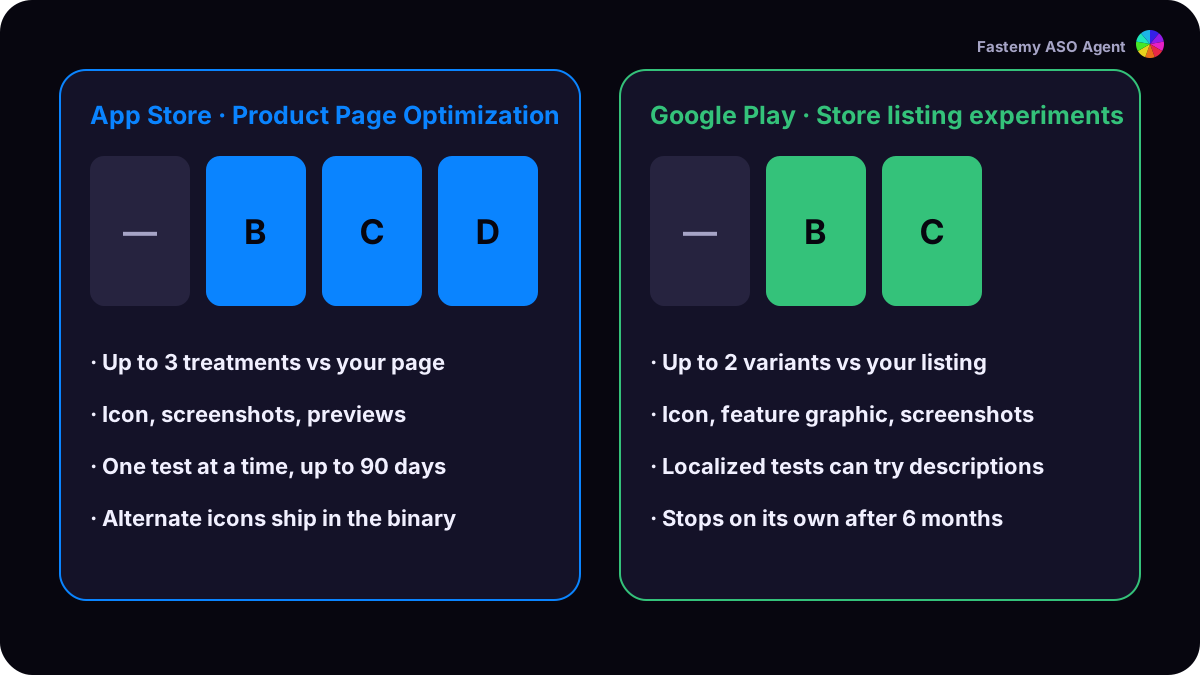
Apple Product Page Optimization vs Google Play store listing experiments

App Store: Product Page Optimization. Test up to three treatments of your icon, screenshots and previews against your page, one test at a time, for up to 90 days. A test with a new icon needs that icon in your app binary.6

Google Play: store listing experiments. Test up to two variants against your listing. A default graphics experiment covers the icon, feature graphic and screenshots; localized experiments, up to five, can also test descriptions. Experiments stop on their own after six months.7

5. Then aim pages at searches

Apple’s custom product pages (up to 70) can be assigned keywords, so a search can land on the page with the most fitting screenshots.8 Google Play’s custom store listings can do the same for search keywords, up to 50 listings.9

Apple now shows rich creative assets, images and video, in search results and product page headers.10 Google advises keeping listings fresh and uploading high-resolution media that looks right on every screen size.11

Sources

  1. Apple Developer: Screenshot specifications ↩

  2. Play Console Help: Add preview assets to showcase your app ↩ ↩2 ↩3 ↩4 ↩5

  3. Apple Developer: Creating your product page ↩ ↩2 ↩3

  4. Apple Developer: App preview specifications ↩

  5. Apple Developer: Product Page Optimization ↩

  6. Play Console Help: Run A/B tests on your store listing ↩

  7. Apple Developer: Custom product pages ↩

  8. Play Console Help: Create custom store listings ↩

  9. Apple Developer: What’s new on the App Store ↩

  10. Android Developers Blog, 13 October 2026: New ways to drive smarter discovery on Google Play ↩

FAQ

How long should an App Store preview video be?

Between 15 and 30 seconds, up to three per device size and language. Previews play before your screenshots.

Does screenshot text affect App Store search?

Apple's search page doesn't list screenshot text among its inputs. Write it for people: one benefit per screenshot.

How long should an A/B test run?

Apple's tests run up to 90 days; Google Play's stop on their own after six months. Both estimate how much traffic you need.

Try it on your app now

The free audit runs this guide’s checks on your own listing.

Or hand it to your agent

Paste into your agent

Read this Fastemy ASO Agent guide and apply it to my app: https://aso.fastemy.com/guides/screenshots-and-ab-tests.md. Ask me for my App Store link first.

agent@aso.fastemy.com:~$ curl -s /llms.txt
Loading…
Agents start with these files →agent.mdaudit.mdopenapi.jsonllms-full.txt