
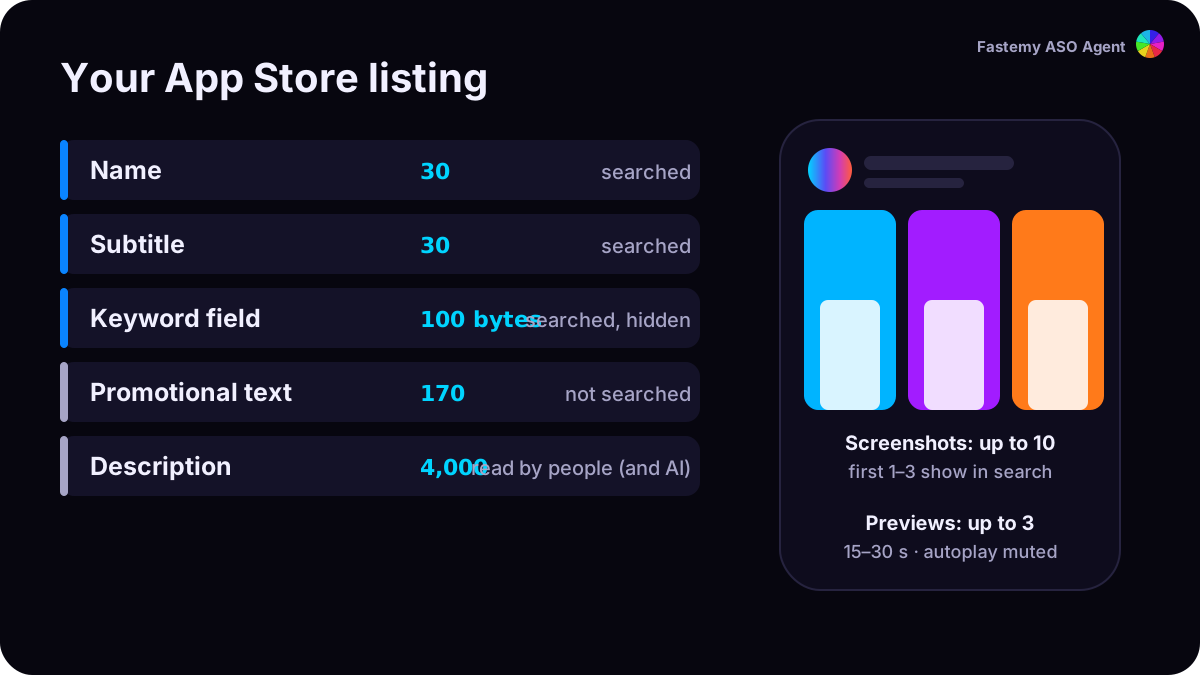
Apple matches searches to the text you control: your name, subtitle and keyword field, plus your primary category.1 Together that is about 160 characters. Spend them on words people type, and never twice.
The three fields at a glance
| Field | Limit | Shown to people? | Rule of thumb |
|---|---|---|---|
| Name | 2–30 characters | Yes | Brand + the exact phrase people search |
| Subtitle | 30 characters | Yes | A second phrase, phrased as value |
| Keyword field | 100 bytes | No | Only new words, comma-separated |
Sources: name and subtitle limits from App Store Connect Help;2 the keyword field is “up to 100 bytes”.3
1. The name: your main phrase, as people type it
Write the phrase exactly as searched, next to your brand. Word form matters: if people search “authentication”, don’t write “authenticator”.
Field note, US store, 2 August 2026. “adhd todo” and “adhd to-do” returned different top 10s: a 0-rating app at #1 for one, an app with 163,394 ratings at #1 for the other. Check every spelling people type before you pick.4
2. The subtitle: a second phrase, not a second copy
Apple asks you to use the subtitle for your value rather than repeating the name, and to avoid generic claims.5 Words in the subtitle are searched,1 so every new word there is a new chance to match.
3. The keyword field: 100 bytes, zero waste
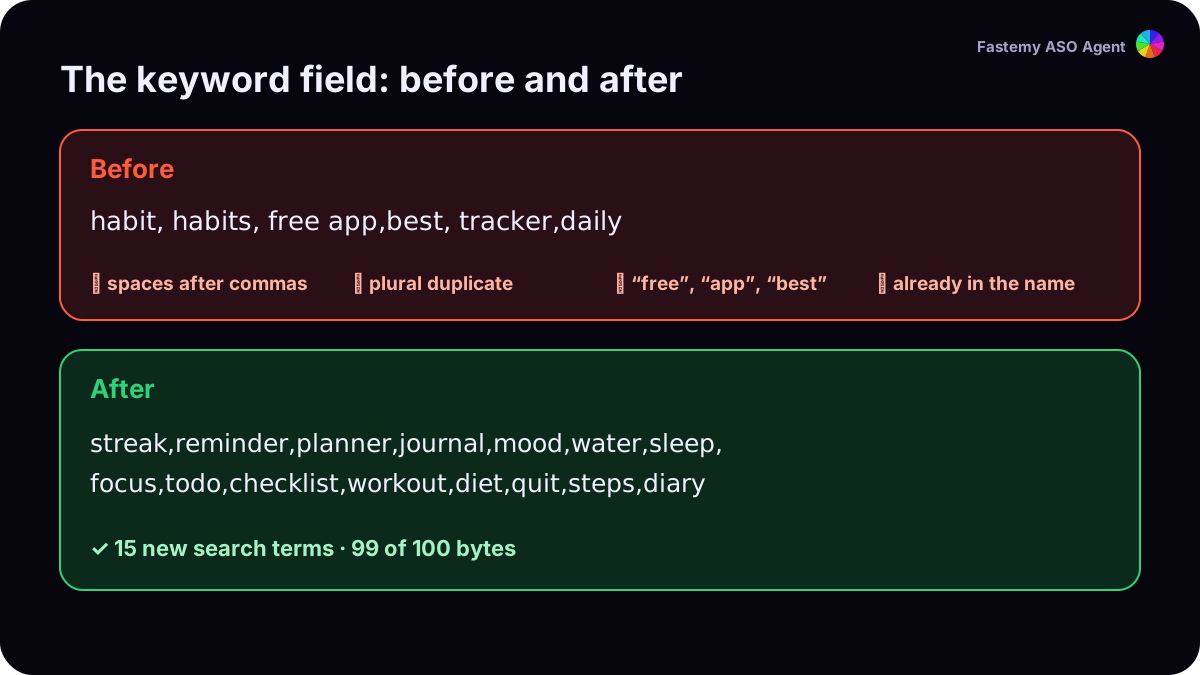
Apple’s own rules for the field:1 3
- Separate terms with commas, no spaces. “Real Estate” can keep its inner space.
- Don’t repeat words from your name, subtitle or category.
- A plural of a word you already have is a duplicate.
- Skip “app”, “game”, filler words and special characters.
- No competitor app names, trademarks or celebrity names.
- Each keyword must be longer than two characters; your app name and company name are already searchable.
4. Count bytes, not characters
The limit is 100 bytes. In UTF-8, plain Latin letters take one byte, but letters like ü, ş, é take two, and many scripts take three. A Turkish keyword field fills faster than an English one with the same number of letters. Our audit counts bytes as Apple does.
5. Promotional text doesn’t rank
Promotional text (170 characters) can change at any time without a new version, which makes it great for news, but Apple says it doesn’t affect search ranking.1 Don’t put keywords there.
6. Give a keyword its own page
You can create up to 70 custom product pages and assign keywords to them, so the page that answers a search shows up for it instead of your default page.6 7 Each keyword combination can belong to one page only.
7. Check demand and difficulty before you commit
Run the search demand check to see whether people type the phrase, and the keyword rank check to see who holds the top 10. Then write, ship, and measure again after 14 days.