
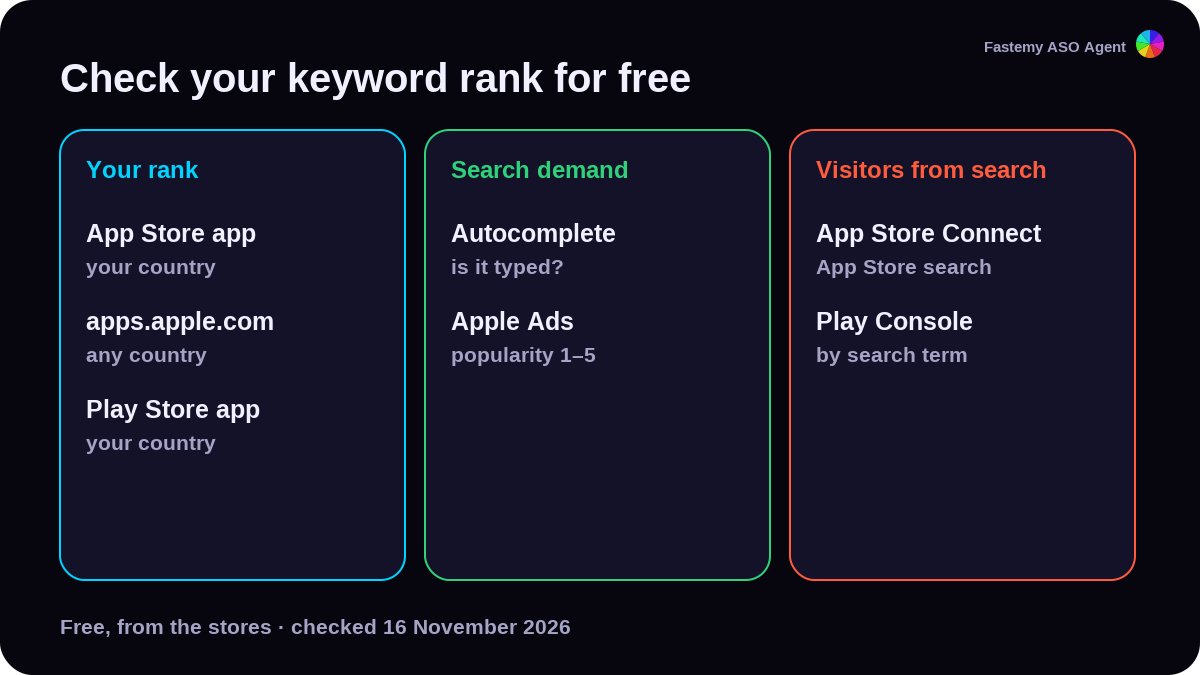
Search the exact phrase in one country’s App Store and count down to your app: that number is your keyword rank for that phrase today. Apple’s web App Store lets you do the same for any country without a device. Read it next to App Store Connect, which shows how many people reach you from App Store search, and check that people search the phrase at all.
What keyword ranking means on the App Store
Apple ranks App Store search results on text relevance, “matches for your app’s title, subtitle, keywords, and primary category”, and on user behavior such as downloads, ratings and reviews.1 Your rank for a phrase is your app’s position in the results for that phrase, in one country’s App Store. It is one number per phrase and per country: a #3 in the United States says nothing about the United Kingdom.
Free ways to check, side by side
| Where | What it tells you | What it doesn’t |
|---|---|---|
| App Store search on your iPhone | Your rank for a phrase in your Apple Account’s country | Other countries, history |
| Apple’s web App Store, apps.apple.com/<country>/iphone/search | Your rank in any country, no device needed | Apple doesn’t say it is the same order as the App Store app |
| App Store Connect, Acquisition | Views and downloads from App Store search, and the conversion rate per source2 | Which search terms |
| Apple Ads keyword tools | Search popularity per keyword, 1 to 5 (1 to 100 in its API)34 | Your rank; setting up an account asks for a payment method5 |
| Google Play Console, search terms | Visitors, clicks and CTR by search term6 | Your rank |
1. Check your rank by hand
- Write the phrase the way people type it. Two to four words, checked in autocomplete first (how).
- Pick the country. The App Store on your iPhone shows your Apple Account’s country. For any other, open
apps.apple.com/<country code>/iphone/search?term=<phrase>, for example/us/,/gb/or/de/; use/ipad/for iPad results. We checked these pages on 16 November 2026. - Count down to your app. If you can’t find it, write “not found”, not a guess.
- Write it down: phrase, country, device, date, rank. Check the same way every time, or two numbers can’t be compared.
- Repeat weekly, and 14 days after each change you ship (the loop).
Five to ten phrases in one or two countries take a few minutes a week. Step 3 of our free App Store audit walks you through the same check for your main phrase.
2. Check that people search the phrase
A rank only matters if people type the phrase. Apple doesn’t publish search volume. Two free signals:
- Autocomplete. Type the first letters of the phrase into App Store search and see whether it completes (step 1 of the ranking guide).
- Apple Ads popularity. Apple Ads shows each keyword’s search popularity “from 1 to 5, with 5 being the most popular” in its keyword recommendations and suggestion tool; its API returns scores from 1 to 100.34 It is a relative score, not a count. Apple doesn’t say whether you can see it before you spend; setting up an account asks for a payment method.5
3. Read rank together with App Store Connect
App Store Connect shows how many people find and download your app from App Store search, browse, referrers and campaigns, and the conversion rate for each source. Search ads in search results count as App Store search, and it doesn’t name the search terms.2
So read the two together, week by week: your rank for your top phrases, and your downloads from App Store search. If a rank rises and search downloads don’t move, either few people search that phrase or people see your app and don’t tap it. Check the phrase’s popularity, then your first screenshots and ratings.
4. On Google Play
Play Console (Grow users > Store performance > Conversion analysis) shows visitors, clicks and CTR for your listing by search term: “the term that the user searched for before navigating to your Store Listing”. Terms with too few visitors are grouped into “Other”, and since July 2026 the report counts clicks rather than installs.6 For the rank itself, search the phrase in the Play Store and count down, as above. How to read the report: Google Play ranking guide, step 8.
What 128 public cases say about keyword rank
Version 2026-11-12 of our open dataset has 863 public App Store and Google Play cases; 128 of them report a keyword rank number (a rank for a phrase, a count of keywords ranked, or keywords in the top 10).7 120 of the 128 report a win, 7 are mixed and 1 lost. 109 were published by companies that sell ASO tools or services, against 441 of all 863 cases, so read them as what is possible, not as a forecast.
One case from a solo developer shows why a weekly check pays. When an App Store bug stopped indexing the last word of 30-character subtitles, Happy Scale fell from #1 for “weight loss tracker” to outside the top 400 and lost 44% of its daily downloads; a shorter subtitle brought the rank back within hours.8
When to stop doing it by hand
By hand works for a handful of phrases. For more phrases, countries or a daily history, some tools have permanent free plans with keyword tracking, such as Applyra (5 keywords, both stores) and ASOMobile (20 keywords) (every free option, checked on each vendor’s page). We make Fastemy ASO Agent: rank tracking and search demand are what our Pro plan is for, and it isn’t open yet. Join the waitlist.
What we don’t promise
- A rank is what one search showed, in one country, on one day. We don’t promise it holds the next day.
- Popularity scores are relative. Neither Apple nor Google publishes how many people search a phrase.
- A higher rank doesn’t guarantee downloads: people still have to tap your app.